If you are looking for Wispr Flow alternatives, you probably like the idea of talking instead of typing but have hit one of three walls: the free plan's weekly word cap, a monthly bill for something you use in short bursts, or the fact that your voice is sent to a server every time you press the key. This guide is for Mac users in that spot.
Wispr Flow is a good product. It types into any app, cleans up filler words, fixes punctuation and adapts tone to where you are writing. The question is not whether it works. It is whether its pricing and cloud model fit how you work, and which app to pick if they do not.
We make MacMemo, so weigh our pick accordingly. Every other app here was checked against its own site in November 2026.
Why people look for Wispr Flow alternatives
The reasons are mostly about money and where your audio goes, not about quality. Here is what Wispr Flow's own pages say as of November 2026.
- The free plan has a weekly cap. Wispr Flow's homepage lists the free plan at 2,000 words per week, and its pricing page now just says "Limited words per week". Its help center says the allowance "differs by platform and by account". If you dictate long emails, 2,000 words goes quickly.
- Pro is a subscription. Pro is $15 per user per month billed monthly, or $12 per month billed annually. That is $144 a year, every year.
- Transcription is always in the cloud. Wispr Flow's data controls page states plainly: "Transcription always occurs on the cloud." There is no on-device option and no offline mode mentioned anywhere on its site.
- Privacy settings take reading. Wispr Flow lets you opt out of model training, and it says it keeps zero data retention agreements with its AI providers. But cloud storage of transcripts and audio is a separate setting, and you have to know to check both.
None of that makes Wispr Flow a bad pick. If you want the same tool on Mac, Windows, iPhone and Android, and you are fine with cloud processing, it is one of the most complete options. The alternatives below make sense when you want a one-time price, a real free tier, or audio that never leaves your Mac.
Wispr Flow alternatives compared
| App | Price | Best for | Key strength | Key limit |
|---|---|---|---|---|
| MacMemo | $199 once, 3 Macs | Mac users who want dictation plus a launcher and AI tools | On-device dictation bundled with launcher, clipboard and AI on selected text | Accuracy depends on Apple's speech models; no cloud model; no free tier |
| Wispr Flow | Free (weekly cap) or $12 to $15 a month | Cross-platform users fine with cloud | Polished formatting, styles per app, 4 platforms | Cloud only, subscription |
| Superwhisper | Free, or Pro $8.49 a month, $84.99 a year, $249.99 lifetime | People who want local and cloud models in one app | Free unlimited local dictation, custom modes | Local models run best on Apple Silicon |
| VoiceInk | $25 to $49 once | Privacy-first users who like open source | Local transcription, GPL v3 source code | Apple Silicon and macOS 14.4 or later only |
| MacWhisper | Free, or Pro €64 once | People who transcribe files and meetings | Local Whisper and Parakeet models | Built around transcription first, dictation second |
| Spokenly | Free local, $29 once, or Pro $12 to $15 a month | Budget users who want flexibility | Free unlimited on-device transcription | Cloud features need Pro or your own keys |
| Aqua Voice | Free 1,000 words, Pro from $10 a month | Cloud accuracy for less than Wispr Flow | Personal dictionary, writing styles, MCP and CLI | Free tier is small; processing location not stated |
| Willow Voice | Free basic, Pro $12 to $15 a month | Wispr Flow users who want an offline fallback | Offline mode on device, style matching | Subscription for full features |
| Apple Dictation | Built into macOS | Occasional dictation | Nothing to install, no timeout | Basic cleanup, fewer controls |
How we picked
We looked at the things that make people leave Wispr Flow in the first place, and at what makes a dictation app usable every day.
- Works in any app. Dictation that only works inside one window is a different product. Every pick here types where your cursor is, or close to it.
- Where your audio goes. On-device, cloud, or your choice. We note what each vendor actually states, and we say so when a vendor does not state it.
- Price model. One-time, subscription, or free, and what the free tier really includes.
- Cleanup. Filler word removal, punctuation, corrections and a custom dictionary are what separate modern dictation from the old kind.
- Mac fit. Native apps, sensible shortcuts, and requirements like Apple Silicon or a minimum macOS version.
We did not run accuracy benchmarks, so we do not rank apps on word error rate. Where a vendor makes an accuracy claim, treat it as the vendor's claim.
1. MacMemo: the best Wispr Flow alternative for Mac if you want more than dictation
MacMemo is a native Swift app for macOS 14 Sonoma or later, on Apple Silicon and Intel. Dictation is one part of it. The same app is also a launcher on ⌥ Space, a clipboard manager, a snippet expander and an AI writing tool that runs on your own API key.
How MacMemo dictation works
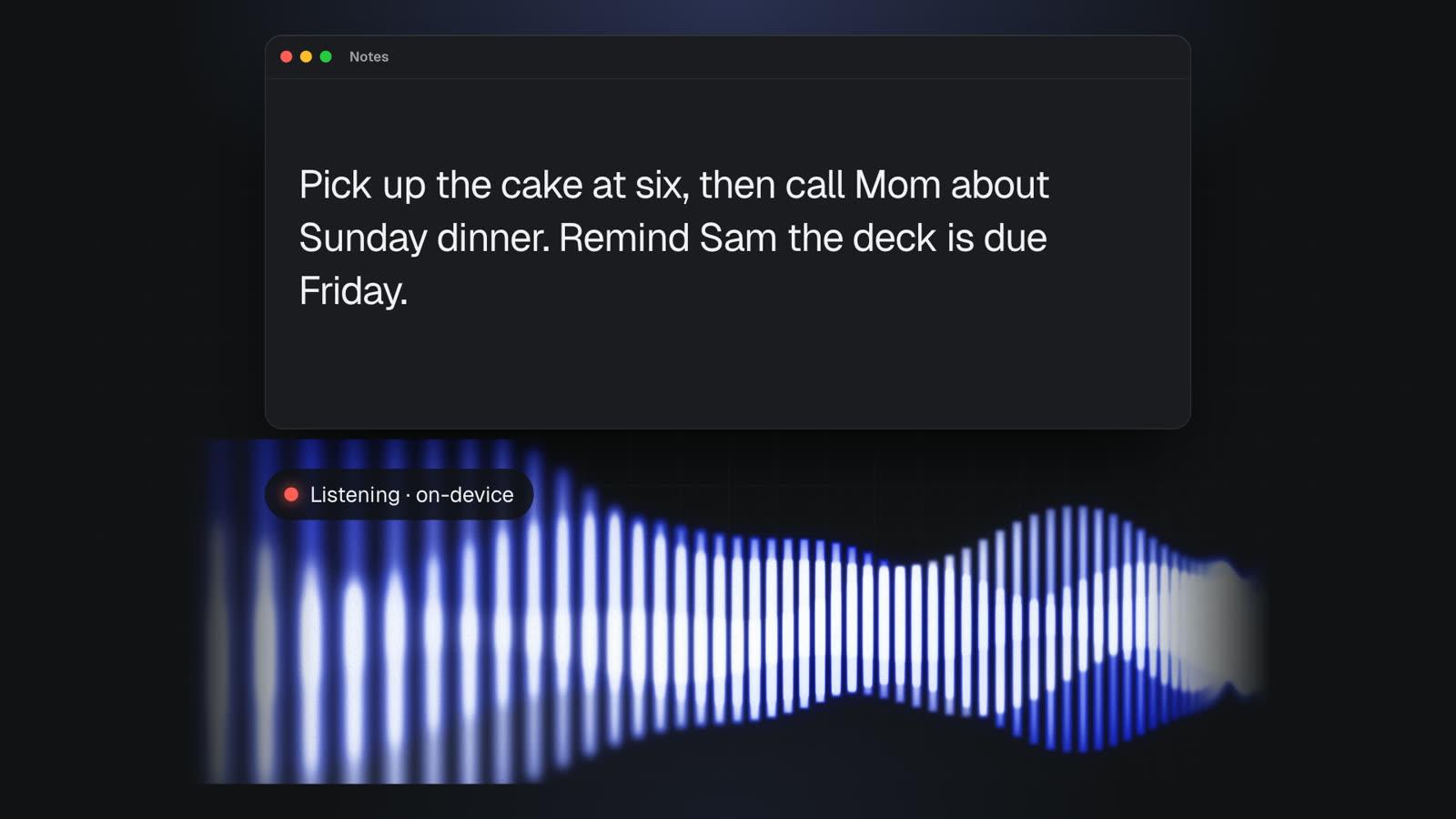
Hold fn, speak, and let go. The text is typed wherever the cursor is, in any app: Mail, Slack, Notes, a browser field, your code editor. It is the same push-to-talk pattern Wispr Flow uses, so the habit carries over.
The difference is where the work happens. MacMemo's dictation is on-device and offline. On macOS 26 and later it uses Apple's new SpeechAnalyzer engine, and on older macOS it uses Apple's on-device speech recognizer. Your audio never leaves the Mac, so it works on a plane and there is no word cap to run into.
- Removes filler words like um and uh.
- Say "scratch that" to delete the last sentence.
- Spoken line breaks.
- A custom dictionary for names and terms it gets wrong.
What else is in the box
This is where MacMemo differs most from every other app on this list. Wispr Flow and its direct rivals are dictation apps. MacMemo is a Mac utility that includes dictation, so one purchase replaces several apps. You can see the full list on the features page.
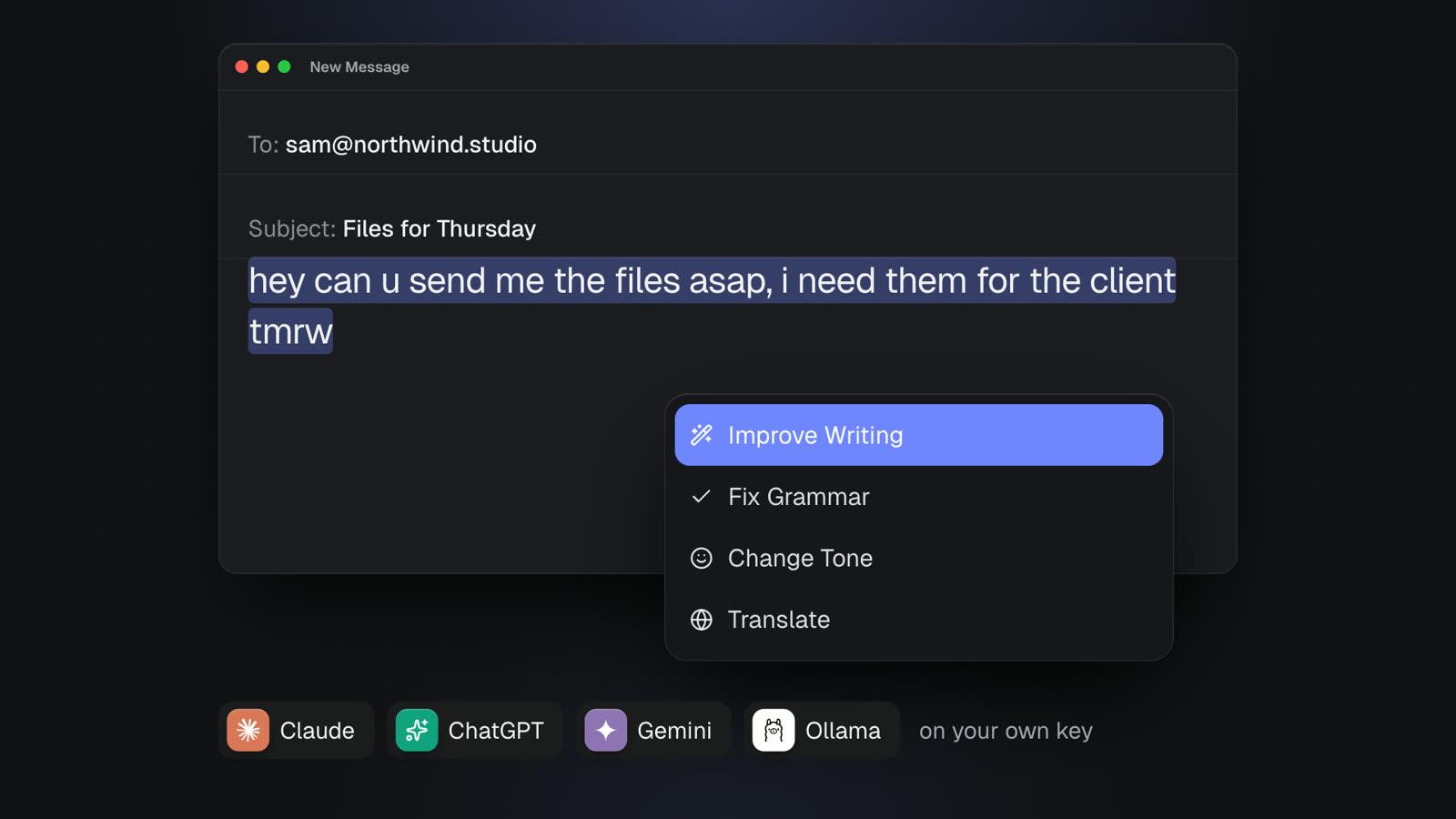
- AI on any selected text. Select text in any app, press ⌥⇧Space, and pick Improve Writing, Fix Spelling and Grammar, Make Shorter, Change Tone to Professional, Summarize, Translate to English, Draft a Reply and more. Fix Spelling and Grammar replaces the text in place. You can write your own commands too. This pairs well with dictation: speak a rough draft, then clean it up.
- Bring your own AI key. Anthropic, OpenAI, Google Gemini, OpenRouter, Groq, Mistral, DeepSeek, or local models through Ollama with no key. Keys live in the macOS Keychain and requests go straight from your Mac to the provider.
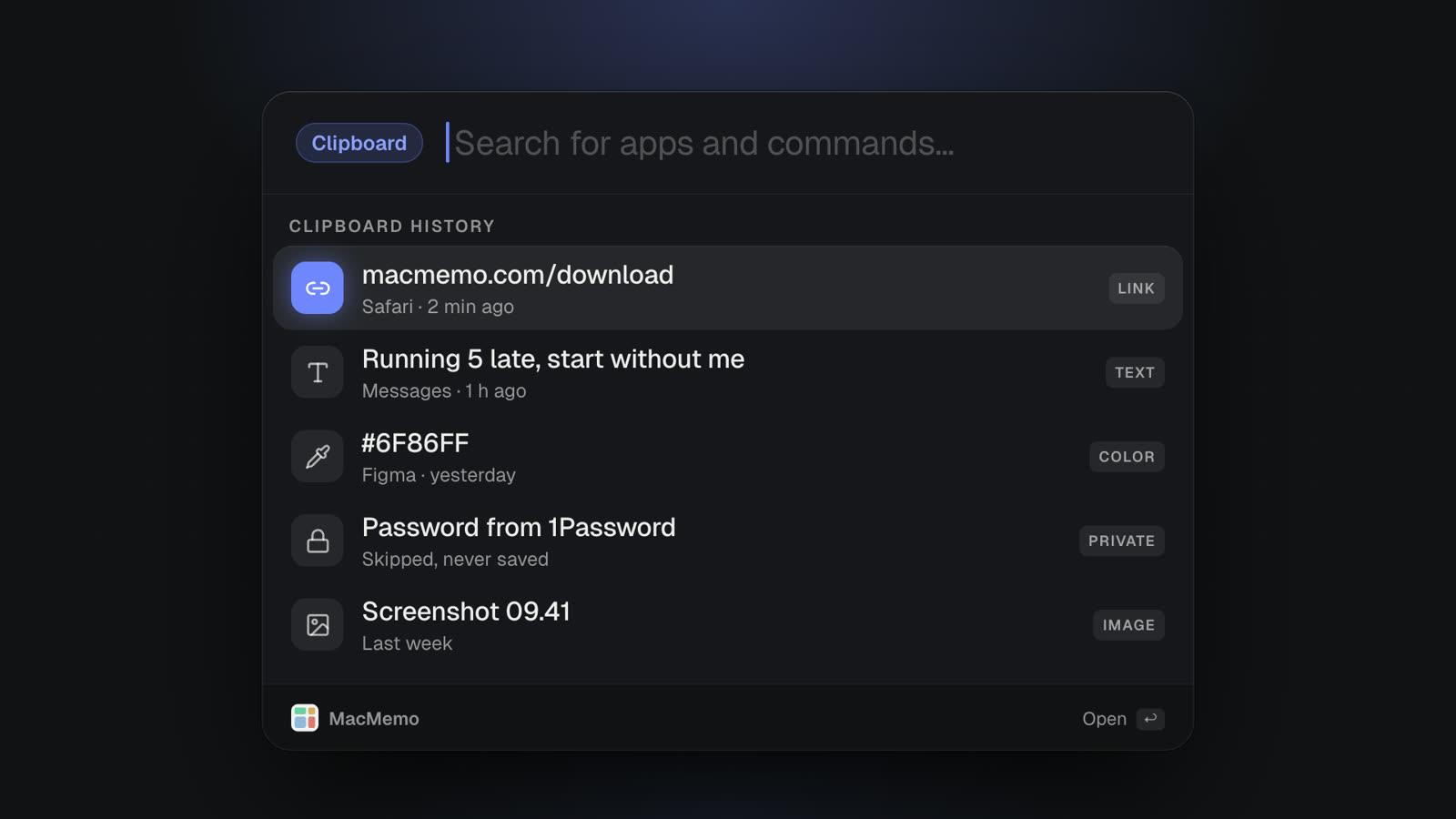
- Clipboard history on ⌘⇧V with text, links, colours and images, no item limit, and it skips content password managers mark as concealed.
- Snippets that expand from a keyword like ;sig in any app.
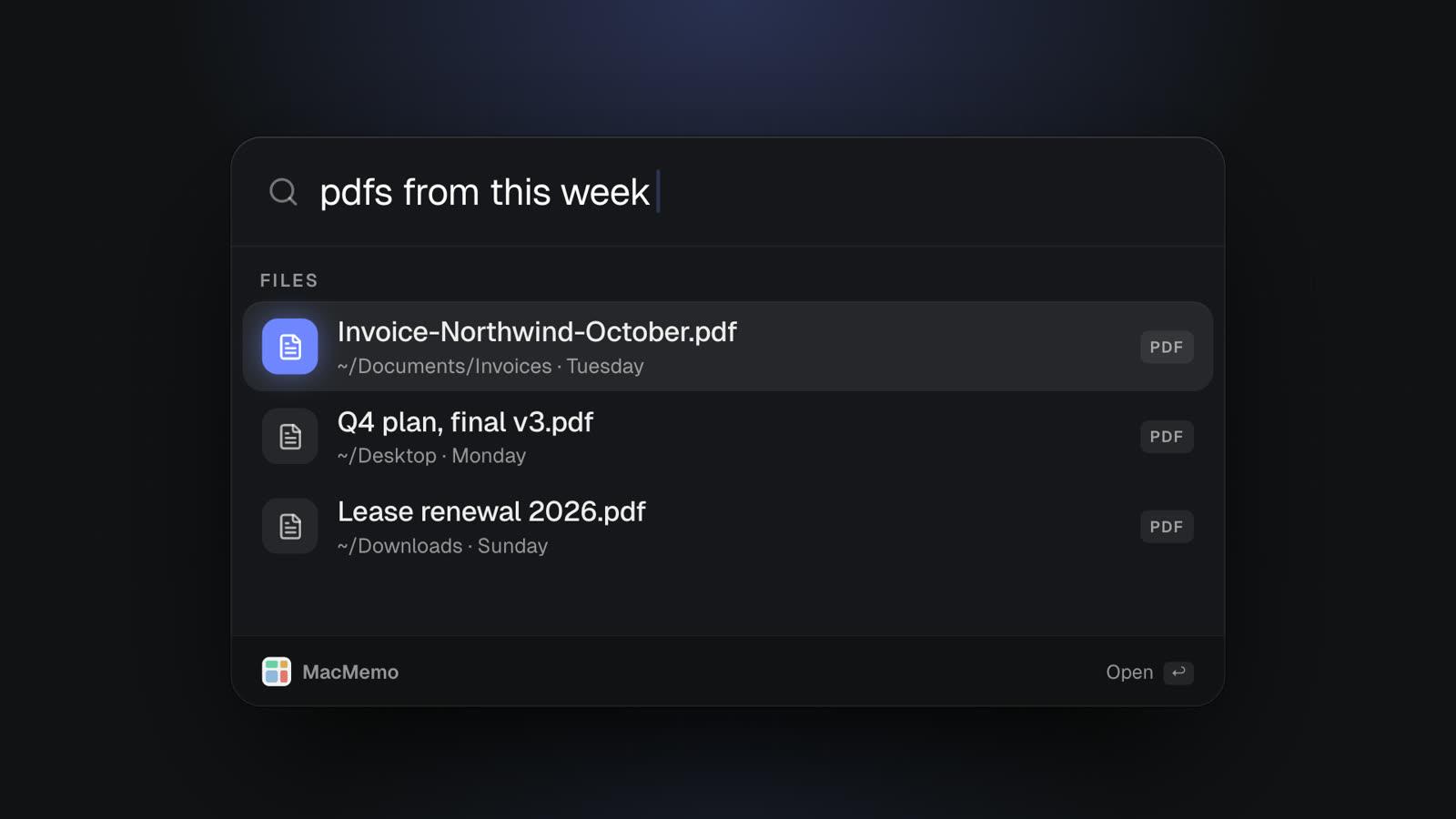
- A launcher for apps, files and web searches, with plain-English file search like "pdfs from this week".
- Window snapping, a calculator with live currency rates, audio device switching and a keep-awake toggle.
MacMemo pricing
MacMemo costs $199 once for a lifetime license that covers 3 personal Macs and includes every future update. There is no subscription and no AI credits to buy, because AI runs on your own key. There is no free tier and no trial, but there is a full refund within 14 days. Details are on the pricing section.
For context, Wispr Flow Pro billed annually is $144 a year. MacMemo costs more up front and less from the second year on, and it also covers the launcher, clipboard and AI writing you might otherwise pay for separately.
Pros
- Dictation is on-device and offline, with no weekly cap.
- One payment, 3 Macs, all future updates.
- Dictation, AI rewriting, clipboard history and a launcher in one app.
- No account needed. Clipboard history, chats and settings stay on the Mac.
- Runs on Intel Macs as well as Apple Silicon.
Cons
- Dictation accuracy depends on Apple's speech models. If those struggle with your accent or vocabulary, MacMemo will too, beyond what the custom dictionary fixes.
- There is no cloud model option for dictation. If you want a large cloud model for the hardest audio, look at Superwhisper or Wispr Flow.
- No per-app tone styles during dictation like Wispr Flow has. You get cleanup at dictation time and AI rewriting after.
- Mac only. No Windows, iPhone or Android app.
- It is a young product from a small team, and it is paid from the start with no free tier.
- AI writing needs your own API key, or a local model through Ollama.
Verdict: MacMemo is the best Wispr Flow alternative if you only use a Mac, want your voice to stay on it, and would rather pay once for a tool that also replaces your launcher and clipboard manager. If dictation is the only thing you need and accuracy on difficult audio matters most, a dedicated app with cloud models may suit you better.
2. Superwhisper: the closest match to Wispr Flow
Superwhisper is the app people most often compare with Wispr Flow, and for good reason. It types into any app, has modes that change tone and format (Message, Email, Formal, Casual, Legal and others), supports custom vocabulary, and lets you pick between local and cloud models.
According to Superwhisper's plans page, the free plan gives you "unlimited dictation with local Whisper models, up to two modes, custom vocabulary, and text replacements", and "Nothing you dictate leaves your device." Pro costs $8.49 a month, $84.99 a year, or $249.99 once for lifetime. One Pro license covers all your devices, and Superwhisper lists macOS, Windows, iOS and Android.
Superwhisper's own site notes that "Intel Macs work best with Cloud models. Offline models only run really well on Apple Silicon macs." Pro adds cloud and local AI models without limits, file transcription, and translation into English.
Wispr Flow vs Superwhisper
The core difference: Wispr Flow is cloud only, while Superwhisper lets you stay local for free and add cloud models when you want them. Superwhisper Pro is also cheaper per month ($8.49 against $15) and has a lifetime option. Wispr Flow's strength is that formatting and per-app styles work with less setup.
- Pros: real free tier with no word cap on local models, local and cloud in one app, lifetime license available, cross-platform.
- Cons: lots of settings and modes to learn, offline models really want Apple Silicon.
Verdict: pick Superwhisper if you want the most Wispr Flow-like experience without being locked into the cloud.
3. VoiceInk: the open source, offline dictation app for Mac
VoiceInk is a Mac dictation app that, in its own words, "processes all voice transcription locally on your device." There is an optional Cloud Enhancement step, and if you enable it, only the transcribed text is sent, not your audio.
It is open source under GPL v3, with the code on GitHub. You can read it, audit it or build it yourself, although the project says it is not accepting pull requests. Buying the compiled version gets you automatic updates and supports development.
VoiceInk's pricing is one-time: Solo is $25 for 1 Mac, Personal is $39 for up to 2 Macs, and Extended is $49 for up to 3 Macs. All tiers include lifetime updates and a 14-day money-back guarantee. It requires Apple Silicon and macOS 14.4 or later, and recommends 8GB of RAM.
Features cover the basics well: works in most apps, custom vocabulary, Smart Replace for phrase swaps, filler word cleanup, formatting longer notes into lists, rewriting selected text, and a Markdown journal.
- Pros: local transcription, open source, cheap one-time price.
- Cons: no Intel Mac support, Mac only, smaller feature set than Superwhisper.
Verdict: the best budget, offline dictation app for Mac if you have an Apple Silicon machine and value being able to read the source.
4. MacWhisper: for people who also transcribe recordings
MacWhisper started as a file transcription app and still leans that way. Its site describes it as an app that "transcribes audio, video, meetings, and system audio locally on your Mac using Whisper, Parakeet and other AI models." It also lists system-wide dictation for messages, notes and documents.
Pricing on macwhisper.com is a free version listed as "Free forever" and a Pro license at €64, paid once, with lifetime updates. Local models keep content on your Mac, and you can switch to cloud models if you want them.
- Pros: strong for meetings, interviews and video files, local models, one-time Pro price.
- Cons: dictation is one feature among many rather than the focus, and the site does not clearly say which tier includes it.
Verdict: a good pick if you transcribe recordings as often as you dictate. If you only dictate, a focused app is simpler.
5. Spokenly: a free Wispr Flow alternative with local models
Spokenly is a dictation app for macOS, Windows, Linux and iPhone. Its local mode is genuinely free: "unlimited on-device transcription for $0, with no account or subscription required." You download a local model first, and a Local Only Mode can restrict network access.
Per Spokenly's site, you can also bring your own API keys for $0 (the provider bills you), buy Local+ for $29 once for settings sync and extra recording styles, or pay for Pro at $12 a month billed yearly or $15 month to month for managed cloud models and hosted text processing. It states that "Local models process audio on the device; cloud models send audio for processing."
- Pros: free unlimited local dictation, clear local versus cloud split, runs on Linux too.
- Cons: the best cloud features are a subscription, and lots of options to choose between.
Verdict: the best free Wispr Flow alternative if you want to try local dictation without paying anything.
6. Aqua Voice: cloud dictation for less
Aqua Voice is the pick if you like cloud dictation and just want to pay less. It types where your cursor is, on macOS, Windows, iPhone and Android, and adds a custom dictionary, writing styles, a notetaker, and MCP and CLI access.
Aqua Voice's pricing as of November 2026: Free includes 1,000 words and the first 3 meetings. Pro is $10 a month billed annually or $12 month to month, with unlimited words. Max is $19 a month annually or $24 monthly, adding unlimited meetings, Realtime Mode and voice commands. Students get 70% off Pro and Max.
Its site does not say whether transcription runs on the device or in the cloud. It does offer a Privacy Mode that keeps none of your dictations, and zero data retention on the Business plan.
- Pros: cheaper than Wispr Flow Pro, cross-platform, developer-friendly extras.
- Cons: the free tier is 1,000 words total, and the processing location is not stated.
Verdict: a like-for-like Wispr Flow replacement at a lower monthly price.
7. Willow Voice: cloud dictation with an offline mode
Willow Voice is close to Wispr Flow in approach: AI dictation that removes filler words, fixes punctuation, learns your writing style and keeps an auto-learning dictionary. It runs on Mac, Windows and iPhone, with Android listed as coming soon.
The notable difference is an offline mode, which Willow describes as dictation "without an internet connection, powered entirely by your device." Willow's pricing page shows a free Basic plan with unlimited use of its lighter Frontier Mini model and 20 Scribe uses per week, Pro at $12 to $15 per user per month depending on billing, and Business at $28 to $35 a month.
- Pros: familiar Wispr Flow-style features, offline fallback, a usable free tier.
- Cons: still a subscription for the full model, and enforced zero data retention is a Business feature.
Verdict: worth a look if you want the Wispr Flow experience but need dictation to keep working without Wi-Fi.
8. Apple Dictation: the free option you already have
macOS has dictation built in. You turn it on in System Settings, then start it with the Microphone key, the Dictation keyboard shortcut, or Edit > Start Dictation. Per Apple's Dictation guide, "You can dictate text of any length without a timeout," and it adds punctuation automatically in supported languages.
On privacy, Apple says you can check Keyboard settings to see whether general dictation is "processed on your device and not sent to Siri servers." In macOS 27 with Apple Intelligence, an on-device model improves spelling, punctuation and capitalization, in English, on Macs with M3 or later and at least 12GB of memory.
- Pros: free, nothing to install, no timeout.
- Cons: Apple's guide does not mention filler word removal, tone styles or a custom dictionary, and you start and stop it rather than holding a key while you talk.
Verdict: fine for the occasional message. If you dictate daily, a dedicated app saves a lot of editing.
Wispr Flow vs MacMemo
These two take different routes to the same goal of talking instead of typing. Here is the honest head-to-head.
| Wispr Flow | MacMemo | |
|---|---|---|
| Price | Free with weekly cap, Pro $12 to $15 a month | $199 once, 3 Macs, all updates |
| Where audio is processed | Cloud, always | On the Mac, always |
| Works offline | Not stated on its site | Yes |
| Platforms | Mac, Windows, iPhone, Android | Mac only |
| Cleanup | Filler removal, punctuation, mid-sentence corrections, styles per app | Filler removal, "scratch that", spoken line breaks |
| Dictionary | Learns automatically or add manually | Custom dictionary |
| Snippets | Spoken snippets | Typed snippets like ;sig |
| AI rewriting | Tone styles applied as you dictate | Any selected text, on your own key |
| Beyond dictation | Notetaker for meetings | Launcher, clipboard history, window snapping, file search |
Choose Wispr Flow if you need dictation on Windows or your phone too, want per-app tone styles with no setup, and are fine with cloud processing and a subscription.
Choose MacMemo if you only use Macs, want your voice to stay on your machine, and would rather pay once for one app that covers dictation, AI writing, clipboard and launching. Accept that its accuracy is tied to Apple's speech models.
Which Wispr Flow alternative should you choose?
- You want one Mac app instead of five: MacMemo. Dictation, AI on selected text, clipboard history and a launcher for one payment. If you are also replacing Raycast, see our Raycast alternatives guide.
- You want the closest feature match with local and cloud options: Superwhisper.
- You want open source and offline on Apple Silicon: VoiceInk.
- You want a free Wispr Flow alternative: Spokenly's local mode or Superwhisper's free plan, both with unlimited local dictation.
- You transcribe meetings and files too: MacWhisper.
- You like cloud dictation and want to pay less: Aqua Voice.
- You need cloud quality with an offline fallback: Willow Voice.
- You dictate a few times a week: Apple Dictation is enough.
If dictation is mostly about writing cleaner text, the AI side matters as much as the speech side. Our Grammarly alternatives roundup covers Mac tools for fixing and rewriting text after you speak it.
Wispr Flow alternatives FAQ
What is the best Wispr Flow alternative for Mac?
It depends on what you want to change. For on-device dictation plus a launcher, clipboard and AI writing in one paid app, MacMemo. For the closest feature match with local and cloud models, Superwhisper. For open source and offline on Apple Silicon, VoiceInk.
Is there a free Wispr Flow alternative?
Yes. Spokenly offers unlimited on-device transcription for free, and Superwhisper's free plan includes unlimited dictation with local Whisper models. Apple Dictation is also built into macOS at no cost, though with less cleanup.
Does Wispr Flow work offline?
Wispr Flow's data controls page says transcription always occurs in the cloud, and its site does not mention an offline mode. If you need offline dictation, MacMemo, VoiceInk, Superwhisper's local models, Spokenly's local mode and Willow's offline mode all run on the device.
How many words do you get on Wispr Flow's free plan?
Wispr Flow's homepage lists 2,000 words per week on the free plan as of November 2026. Its pricing page only says "Limited words per week", and its help center says the allowance differs by platform and account, so check the usage card in your settings.
Wispr Flow vs Superwhisper: which is better?
Wispr Flow is cloud only and polished out of the box. Superwhisper lets you dictate for free with local models and add cloud models on Pro, which costs $8.49 a month or $249.99 lifetime. If privacy or price matters, Superwhisper usually wins; if you want zero setup, Wispr Flow does.
What is the best offline dictation app for Mac?
MacMemo uses Apple's on-device speech engines and works on Intel and Apple Silicon. VoiceInk processes all transcription locally and is open source, but needs Apple Silicon. Superwhisper and Spokenly also offer local models.
Is MacMemo's dictation as accurate as Wispr Flow?
We have not run a benchmark, so we will not claim it is. MacMemo's accuracy depends on Apple's speech models and there is no cloud model option, while Wispr Flow uses cloud models. MacMemo's custom dictionary helps with names and jargon, and the 14-day refund lets you judge it on your own voice.
Does MacMemo need a subscription for dictation or AI?
No. MacMemo is $199 once for 3 Macs. Dictation runs on the Mac, and AI uses your own API key or a local model through Ollama, so there are no credits to buy. More answers are in the MacMemo FAQ.
More Mac comparisons are on the MacMemo blog, including our guide to Spotlight alternatives. If there is a dictation feature you would want MacMemo to add, you can request it here.