If you are looking for Raycast alternatives, you already like keyboard launchers: press a shortcut, type a few letters, and reach an app, file, calculation or clipboard item without the mouse. The question is whether Raycast is still the right one for you.
People tend to leave for a handful of reasons. The features many of us actually want (AI, unlimited clipboard history, cloud sync, dictation, custom window layouts) sit behind Raycast Pro, which is a monthly or yearly subscription. The current Mac download asks for macOS Tahoe and Apple Silicon, which rules out Intel Macs and anyone holding back on an older macOS. And some people simply want something smaller, with fewer accounts and services in the picture.
This guide covers the best Raycast alternatives for Mac in 2026: what each does, what it costs, and what you lose, because Raycast's extension store is a real strength none of them fully replaces.
Raycast alternatives compared at a glance
| App | Price | Best for | Key strength | Key limit |
|---|---|---|---|---|
| MacMemo | $199 once, 3 Macs | People who want Raycast Pro style features without a subscription | Clipboard, snippets, AI on your own key, on-device dictation and windows in one app | Young app, no extension store, no cloud sync, no free tier |
| Raycast (for reference) | Free; Pro $10/month or $96/year | People who live in extensions | Thousands of store extensions, Mac and Windows | AI, sync and unlimited clipboard history need a paid plan |
| Alfred + Powerpack | Free core; Powerpack from £34 | Workflow builders and long-time Mac users | Workflows, clipboard, snippets, runs on macOS 10.14+ | No built-in AI, workflows take setup |
| Spotlight (macOS 26 and later) | Free, built in | People who want nothing extra installed | Actions from any app via App Intents, quick keys | Fewer power tools, needs macOS 26 |
| LaunchBar | Paid licence (price on order page), usable free with prompts | Keyboard purists who like file actions | Instant Send, scriptable actions, deep file browsing | Dated look, small ecosystem |
| Sol | Free, open source (MIT) | A simple free Raycast alternative | Launcher, window manager, clipboard in one free app | Small project, no AI |
| Quicksilver | Free, open source | Tinkerers who like noun-verb actions | Plugins and action chains | Steep learning curve, no AI |
Why people look for Raycast alternatives
Raycast is a very good app, so here is exactly what its own pricing page says as of November 2026.
Raycast Pro is a subscription
Raycast has a free plan, and it is generous: clipboard history, quicklinks, the calculator and snippets are included. But the free plan keeps clipboard history for 3 months, and it leaves out Raycast AI, cloud sync, custom themes, the translator, dictation and custom window management commands.
To get those, you need Raycast Pro at $10 a month or $96 a year. Pro includes 500 AI credits a month with fast models, but not the top-tier models. For those you move to Plus at $20 a month ($192 a year) with 3,000 credits, or Max at $50 a month ($480 a year) with 7,500 credits. Verified students get 50% off Pro. Bring your own key is listed as a Pro feature, so even if you already pay OpenAI or Anthropic directly, you still need the subscription to use your key inside Raycast.
Over three years, Pro on the yearly plan is $288, and Plus is $576. That is the main reason people search for a raycast pro alternative: they want the AI, clipboard and window features, but would rather pay once.
The latest version needs macOS Tahoe and Apple Silicon
Raycast's homepage now states "macOS Tahoe and Apple Silicon required" next to the Mac download. If you have an Intel Mac, or you are staying on Sonoma or Sequoia for work reasons, you need a Raycast alternative for Mac that still supports your setup.
Credits, accounts and cloud services
Raycast's AI runs on a monthly credit allowance, and the paid tiers are mostly defined by how many credits you get. Some people would rather pay a model provider directly or run a local model. Others want clipboard history and AI chats to simply stay on the Mac.
Wanting something simpler
Raycast now does a lot. If you only open apps, search files and paste from history, a lighter tool can feel calmer.
What you lose when you leave Raycast
Raycast's extension store has thousands of community extensions, and many of them (GitHub, Linear, Jira, Notion, Spotify and so on) would take you hours to rebuild as scripts. Raycast also runs on Windows now, and extensions without native code work on both platforms. No app in this list matches that ecosystem. Check your must-have extensions before you cancel.
How we picked these Raycast alternatives
We kept the apps people actually mention as Raycast replacements that are still maintained in 2026, and judged them on what drives a switch:
- Price model: free, one-time, or subscription, and what the paid tier includes.
- Launcher basics: speed of opening apps and files, fuzzy matching, web searches.
- Raycast Pro features: AI, unlimited clipboard history, snippets, window management, dictation.
- Privacy: whether you need an account, and where your clipboard and AI requests go.
- Mac support: Intel and Apple Silicon, and how far back in macOS it runs.
- Extensibility: scripts, workflows, plugins or a store.
We did not run benchmarks, so there are no speed scores here. Prices and features for other apps come from vendor pages, checked in November 2026.
1. MacMemo: the best Raycast alternative if you want to pay once
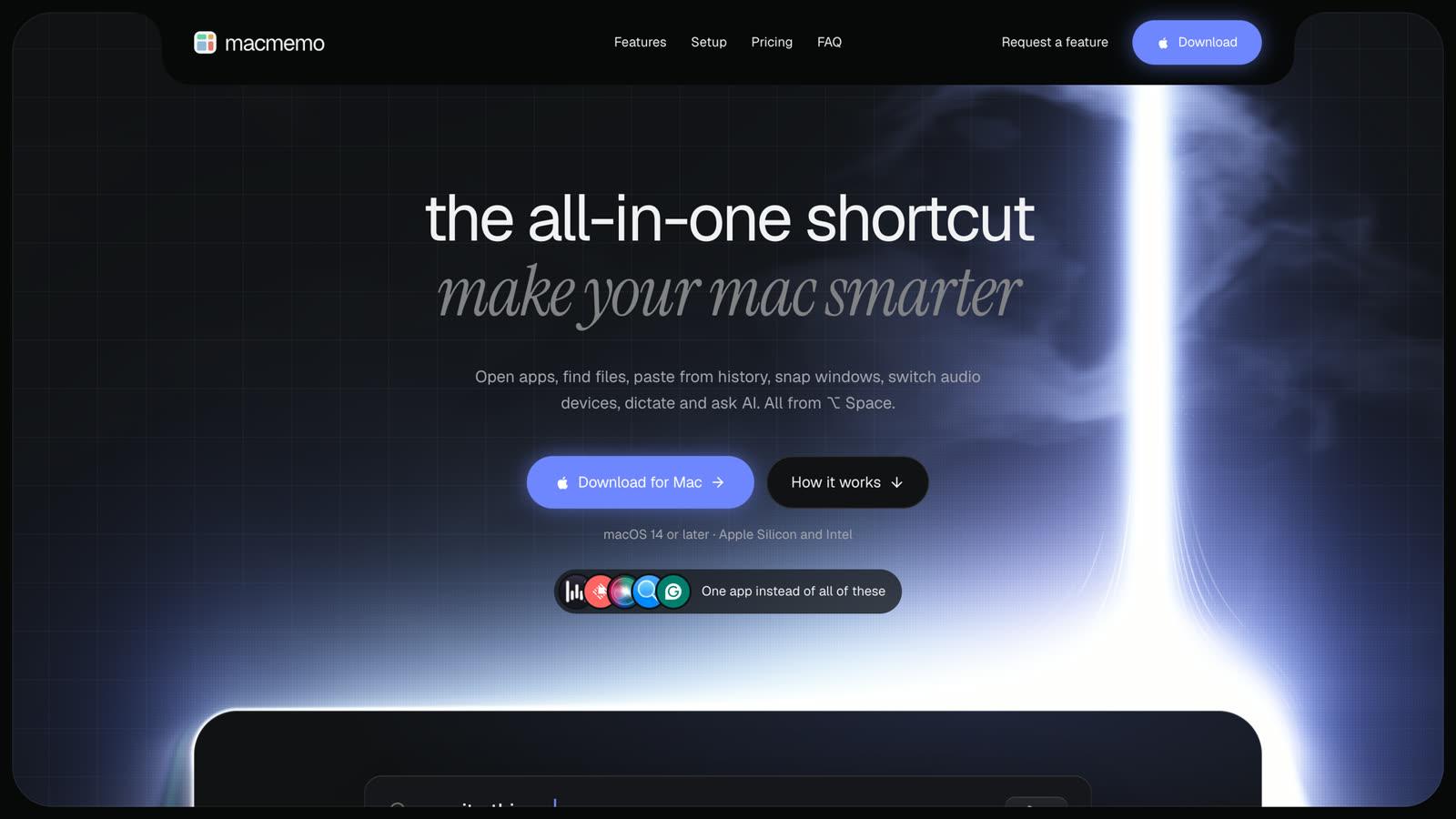
MacMemo is a native Swift launcher for macOS 14 Sonoma or later, on both Apple Silicon and Intel. One shortcut, ⌥ Space, opens a bar from any app that searches apps, files, folders and the web in one list. It covers what most people pay Raycast Pro for, without a subscription.
Launcher and file search
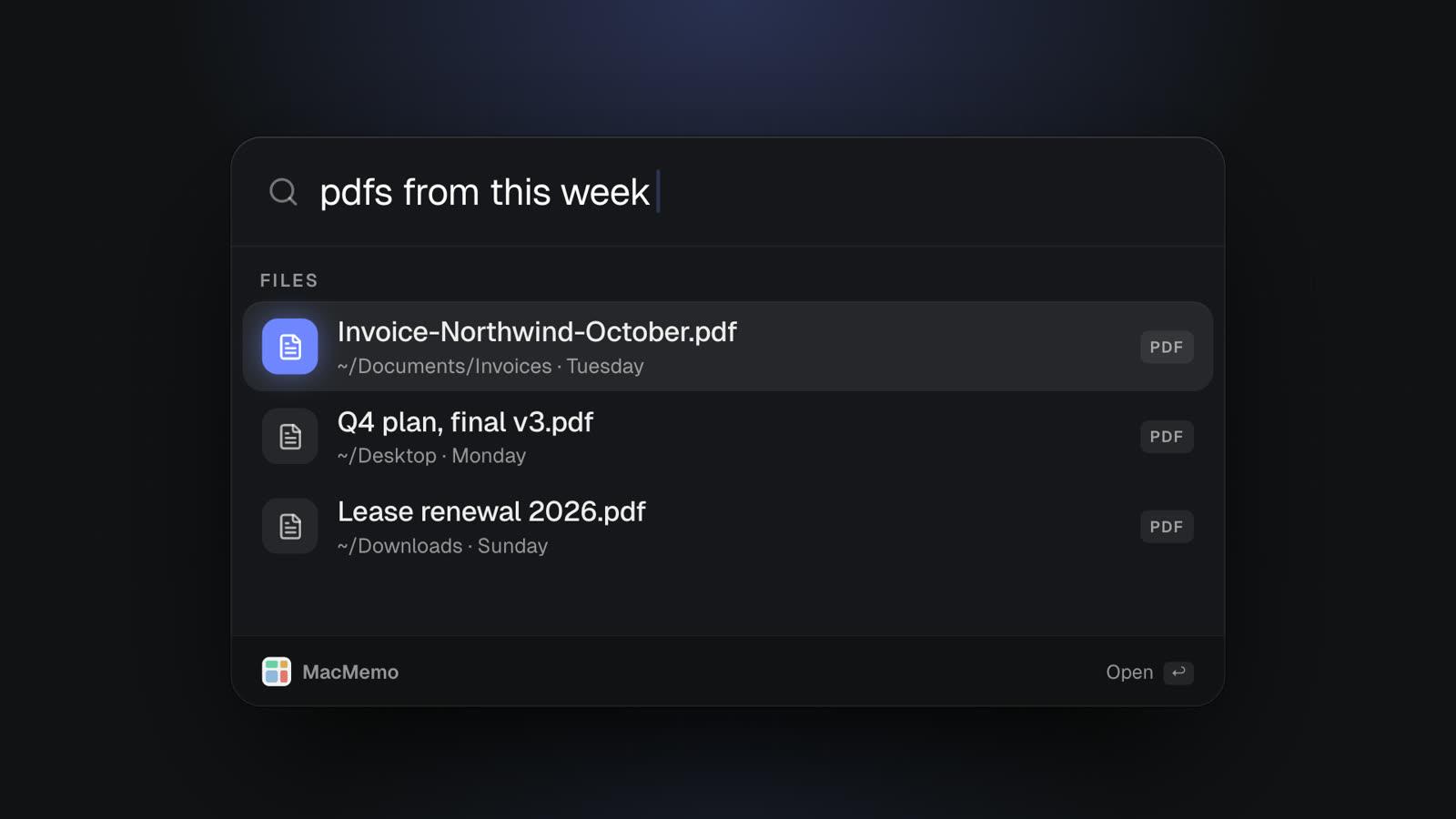
Matching is fuzzy on initials and partial words, so "vsc" finds Visual Studio Code, and results you open often and recently move up. File search understands plain English: "pdfs from this week", "videos over 1gb", "invoice screenshots today" or "documents last month". It filters by type, size and date using the Mac's own Spotlight index. It matches file names, not the text inside files, so it is a fast finder rather than a full-text search tool.
Around the launcher you get quicklinks (your own sites and searches behind a short word), script commands that run your own shell scripts with arguments, an emoji and symbols picker, quit or hide all apps, a system monitor to find what is slowing the Mac and quit it, and screenshots from the bar. The calculator does math as you type, unit conversions (km to miles, °F to °C, GB to MB) and live currency rates such as "1840 usd in eur".
Clipboard history and snippets
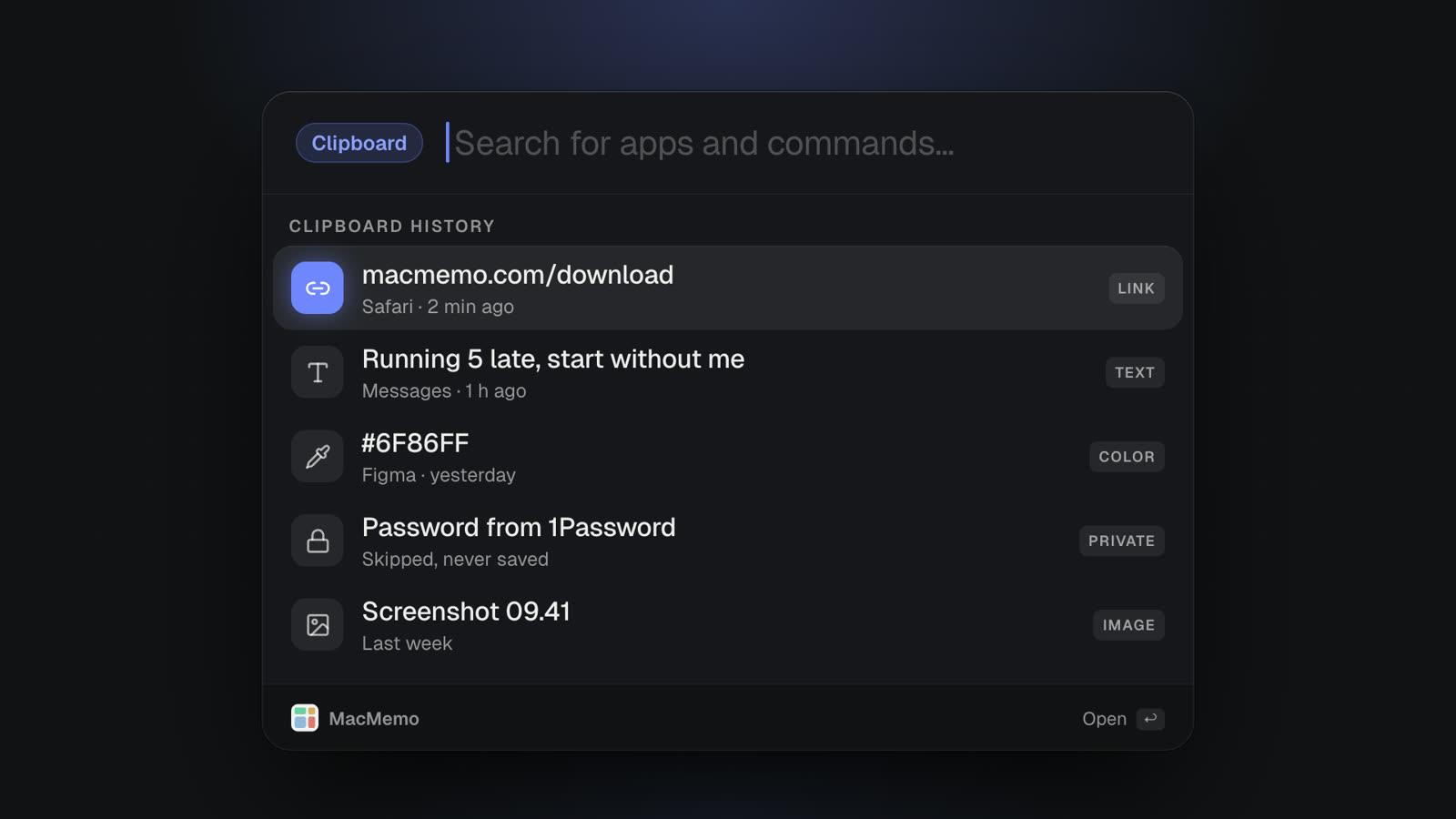
Clipboard history opens with ⌘⇧V by default and keeps text, links, colours and images, with search and pinning. There is no item limit and no time limit tied to a plan. It skips anything password managers mark as concealed or transient, so passwords do not end up in your history. Our guide to clipboard history on Mac compares this with Spotlight and the dedicated clipboard managers.
Snippets work like Raycast's: type a keyword such as ;sig in any app and it expands, with placeholders for the parts that change.
AI on your own key
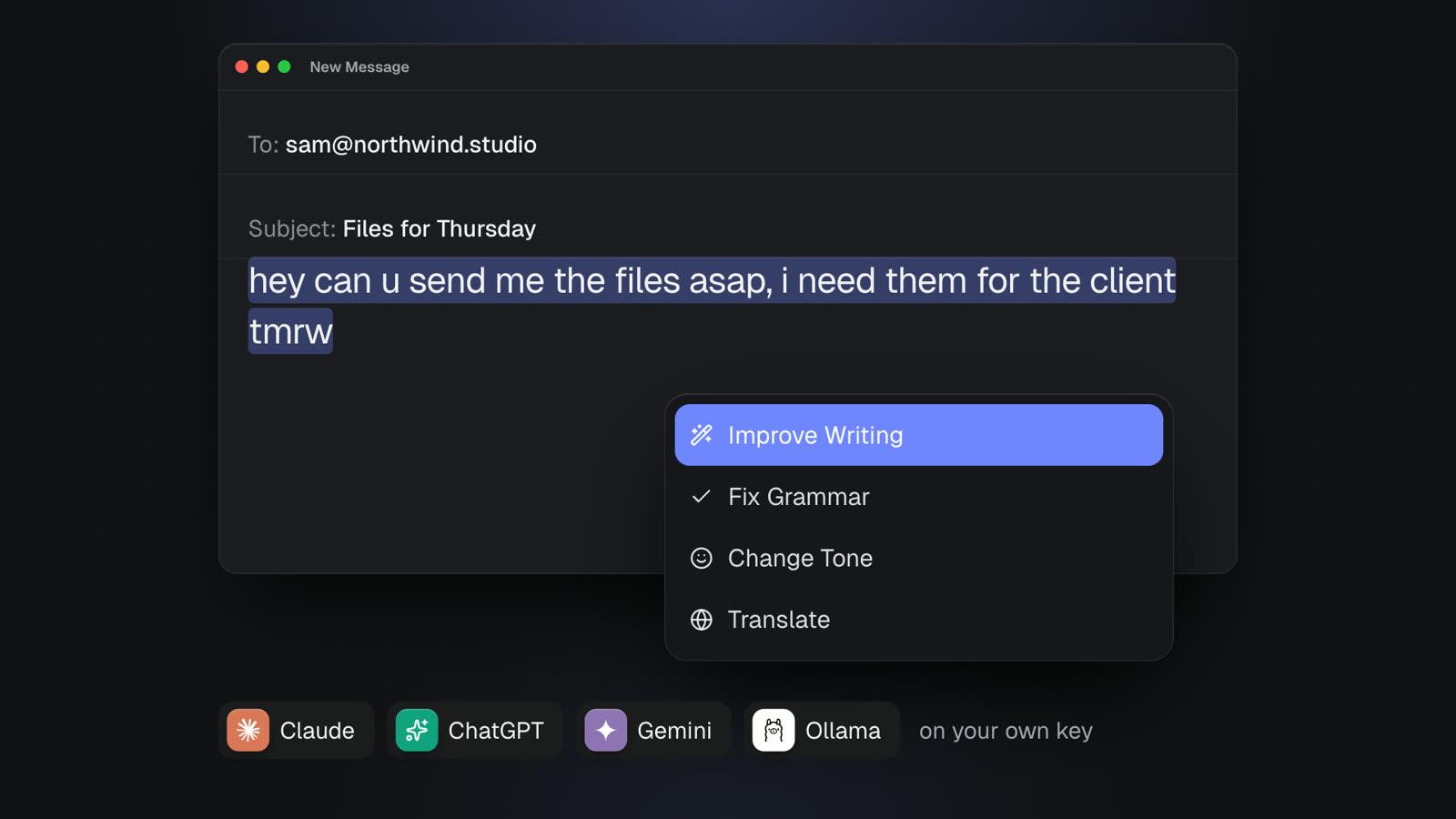
MacMemo has no AI credits. You paste a key from Anthropic (Claude), OpenAI, Google Gemini, OpenRouter, Groq, Mistral or DeepSeek, and MacMemo detects the provider. Or you point it at local models through Ollama with no key at all. Keys live in the macOS Keychain, and requests go straight from your Mac to the provider, never through MacMemo's servers.
Select text in any app and press ⌥⇧Space to run a command: Improve Writing, Fix Spelling and Grammar (which replaces the text in place), Make Shorter, Make Longer, Change Tone to Friendly or Professional, Summarize, Explain This, Translate to English, Draft a Reply, Explain Code, or Find Bugs in Code. When a command shows an answer, ⌘↩ swaps it in for your selection. You can write your own commands and give each one its own model, which is how you would add translation into other languages.
Ask About Screen attaches the window you were in and asks "What's on my screen?", which is handy for an error message you do not want to retype. There is also a full AI chat with history saved on the Mac and searchable with ⌘Y.
On-device dictation
Hold fn, speak, let go, and the text is typed wherever your cursor is. Dictation runs on the Mac and works offline: on macOS 26 and later it uses Apple's new SpeechAnalyzer engine, and on older macOS it uses Apple's on-device speech recognizer. Audio never leaves the Mac. It removes filler words like um and uh, understands "scratch that" to delete the last sentence, handles spoken line breaks, and has a custom dictionary for names and jargon.
Windows, devices and small utilities
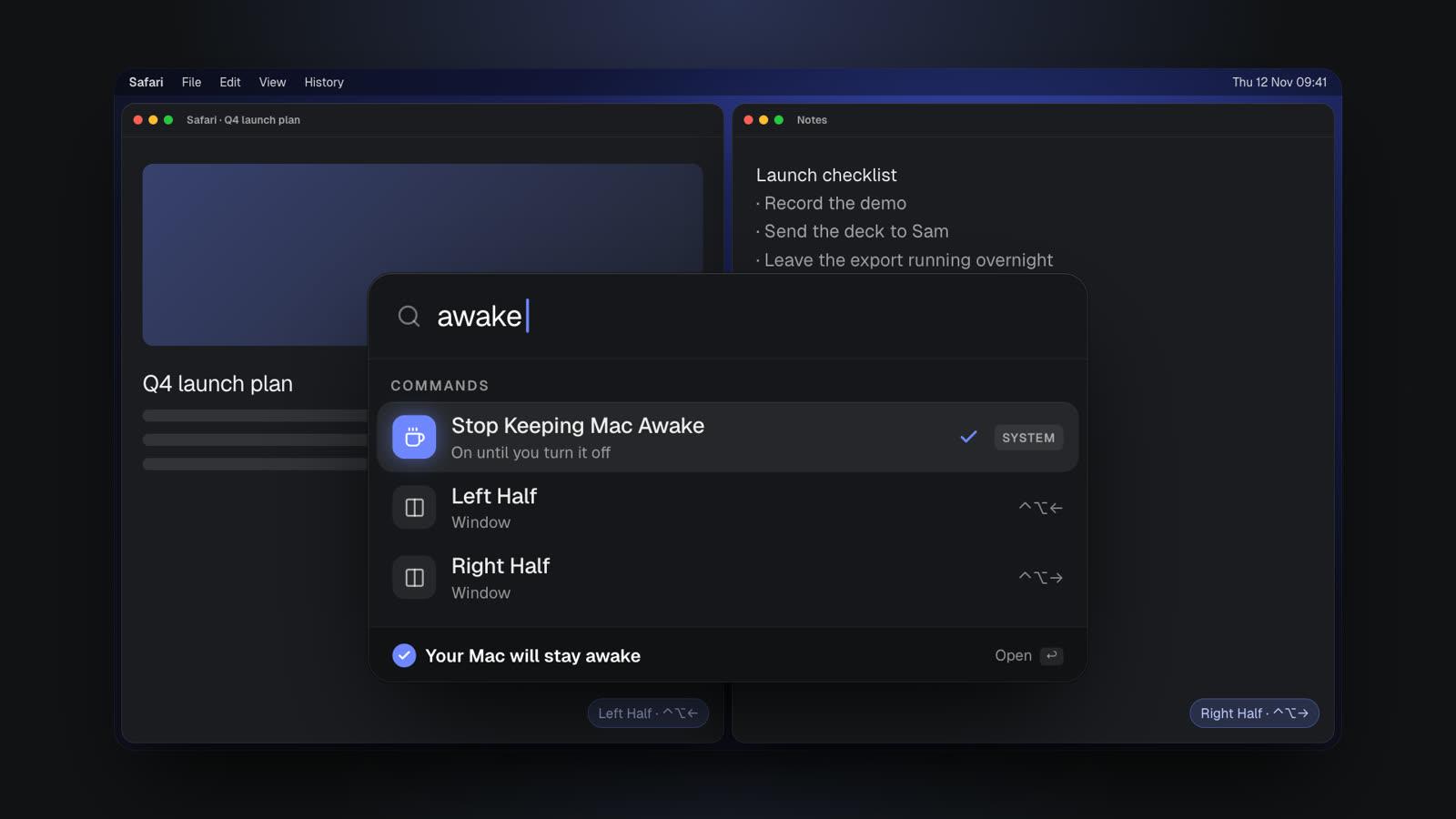
Window snapping covers halves (⌃⌥← and ⌃⌥→), top and bottom (⌃⌥↑ and ⌃⌥↓), maximize (⌃⌥↩), plus thirds, two-thirds, quarters, center, almost maximize, reasonable size and move to next display from the launcher. You can type a word to switch audio output or input (say, to AirPods), connect or disconnect Bluetooth devices, join Wi-Fi or an iPhone hotspot, mute the mic, set an exact volume ("volume 30") or toggle dark mode. Keep Mac awake works like Amphetamine and stays on until you turn it off, and a colour picker copies any pixel's hex and saves it to clipboard history.
MacMemo pricing
MacMemo costs $199 once for a lifetime licence that covers 3 personal Macs and includes every future update. There is no subscription and no AI credit pack, because AI runs on your own key. There is no free tier and no trial, but there is a full refund within 14 days. Details are on the pricing section of the homepage, and the full feature list is there too.
For comparison, $199 is a little over two years of Raycast Pro on the yearly plan, and about a year of Plus. Your AI bill then depends on how much you use your provider, or nothing at all if you run Ollama locally.
Pros
- Pay once: $199 covers 3 Macs and all future updates.
- AI on your own key or local Ollama, with no credits and no middle server.
- Unlimited clipboard history that skips concealed password entries.
- On-device, offline dictation in any app.
- Runs on macOS 14 Sonoma or later, on Intel and Apple Silicon.
- No account needed; clipboard history, chats and settings stay on the Mac.
Cons
- Young product from a small team.
- No third-party extension store or community extensions, which is Raycast's big advantage.
- No cloud sync between Macs.
- Mac only, no Windows version.
- AI needs your own API key (or Ollama).
- Dictation accuracy depends on Apple's speech models, with no cloud model option.
- Paid only: no free tier and no trial, though refunds are available for 14 days.
Verdict: MacMemo is the best Raycast alternative for people who want the Pro feature set (AI, clipboard, snippets, windows, dictation) in one app and would rather pay once than subscribe. If your day depends on specific Raycast store extensions, test whether script commands and quicklinks cover them first, or read the FAQ before buying.
2. Alfred with Powerpack: the classic one-time alternative
Alfred is the first answer most people give in a raycast vs alfred thread. The core app is free; its site says it is "free for you to download and use forever, with no strings attached", and covers app launching and file search. The advanced features come with the Powerpack.
What the Powerpack adds
- Workflows: build automations by connecting objects, without writing code, triggered by a hotkey, keyword or Alfred Remote.
- Clipboard history for text, images and file paths, plus snippets with auto-expansion.
- Universal Actions, file navigation and actions, a contacts viewer and terminal integration.
- Custom themes and sync of settings across Macs using a service like Dropbox.
Alfred pricing and requirements
The Alfred Powerpack costs £34 for a single-user v5 licence, which the shop says includes a free upgrade to Alfred 6, or £59 for the Mega Supporter licence with free lifetime upgrades. The current version is 5.8.1, Alfred 6 is previewed on the homepage, and it runs on macOS 10.14 or later on Intel and Apple Silicon.
Raycast vs Alfred
Alfred's strength is workflows: a large back catalogue of community workflows and a visual editor for building your own. Raycast's strength is its modern store and built-in AI. Alfred's Powerpack page lists no built-in AI features, so if you want AI on selected text you would be building or installing a workflow yourself. Alfred also runs on far older Macs than Raycast does now.
Verdict: the best Raycast alternative for people who like to build their own automations and want a cheap one-time purchase. Less good if you want AI and dictation working out of the box.
3. Spotlight on macOS 26 and later: the free Raycast alternative you already have
Apple calls the macOS Tahoe 26 update Spotlight's "biggest update ever", and for light users it narrows the gap with third-party launchers. According to Apple's macOS Tahoe announcement, Spotlight now:
- Lists files, folders, events, apps, messages and more together, ranked by relevance, with filters such as PDFs or Mail messages.
- Surfaces documents stored on third-party cloud drives.
- Has browse views for apps, files and clipboard history.
- Can take hundreds of actions, like sending an email or creating a note, from Apple apps and from any developer app that adopts the App Intents API.
- Runs shortcuts and searches the menu bar items of the app you are in.
- Introduces quick keys: short strings of characters that jump straight to an action.
Pricing: free, built into macOS 26 and later.
What it lacks: Apple's announcement does not mention snippets, window commands, script commands with arguments or AI on selected text, and it needs macOS 26. More in our guide to the best Spotlight alternatives for Mac.
Verdict: the best free Raycast alternative if you mainly launch apps, find files and want a short clipboard history, and you are on macOS 26 or later.
4. LaunchBar: the veteran built around actions
LaunchBar, from Objective Development (the makers of Little Snitch), is one of the oldest Mac launchers still in active development. Its download page lists macOS Tahoe, and says it is also compatible with Sequoia, Sonoma, Ventura and Monterey.
Its features page describes a clipboard history with a stack mode, ClipMerge and an ignore list for sensitive data; a calculator based on Unix bc with live results; and Instant Send, where you hold ⌘Space to send the current file or text selection to LaunchBar and then pick a target app, folder or contact. File system browsing with the arrow keys is excellent, and you can write custom actions in JavaScript, AppleScript, Python and more, then share them as .lbaction files.
Pricing: LaunchBar is sold as a Single licence or a Family licence (up to 5 computers in one household, non-commercial). The product page offers a 30-day trial and says you can keep using it for free indefinitely, with occasional prompts suggesting a short break. We could not read a price on the LaunchBar order page in November 2026, so check it there.
Verdict: a strong Raycast alternative for keyboard purists who live in Finder and want powerful file actions. It has no built-in AI and a smaller community than Raycast.
5. Sol: a free, open-source Raycast alternative
Sol describes itself as an open-source macOS launcher, "free, focused on simplicity and speed". Its GitHub repository uses the MIT licence and lists macOS 14.0 as the minimum. You install it with `brew install --cask sol` or from the releases page.
For a free app the list is long: app and file search, custom links, a script runner, a window manager, a clipboard manager, calendar in the menu bar, a notes scratchpad, math, an emoji picker, a process killer and Google Translate.
Pricing: free.
Verdict: the best free Raycast alternative for people who want a modern-looking launcher with window and clipboard tools and no account or subscription. It is a small project, so do not expect AI features or an extension store.
6. Quicksilver: the open-source original
Quicksilver is the launcher that inspired most of this category. It is "free forever" and open source. Its model is noun, verb, object: pick a file, choose an action like move, copy, email or compress, then pick a target. It learns your habits, supports hotkeys and mouse gestures, and extends through plugins for Mail, the calculator, clipboard and shelf, browsers, calendar and reminders, emoji and image manipulation.
It is still maintained: the latest release on GitHub is v2.6.0. Pricing: free.
Verdict: for tinkerers who like chaining actions. Newcomers will find Sol or Spotlight easier.
Raycast vs MacMemo: head to head
Here is how the two compare on what matters most. Raycast details are from its own site in November 2026.
| Raycast | MacMemo | |
|---|---|---|
| Price | Free plan; Pro $10/month or $96/year; Plus and Max higher | $199 once, 3 Macs, all future updates |
| AI | Pro and above, with monthly credits; bring your own key is a Pro feature | Your own key (7 cloud providers) or local Ollama, no credits |
| Clipboard history | Free plan keeps 3 months; unlimited on Pro | Unlimited, skips concealed password entries |
| Dictation | Pro feature | Included, on-device and offline |
| Window management | Custom window management commands on Pro | Halves, thirds, quarters, center, next display; no saved layouts |
| Extensions | Thousands in the store | No store; quicklinks and your own script commands |
| Cloud sync | Pro feature | None |
| Platforms | Mac (macOS Tahoe, Apple Silicon) and Windows | Mac only, macOS 14+, Intel and Apple Silicon |
| Free option | Yes | No, but 14-day refund |
Choose Raycast if you rely on store extensions, want cloud sync between Macs, use Windows too, or are happy on the free plan. Choose MacMemo if you were about to pay for Pro mainly for AI, unlimited clipboard history, dictation and window commands, and you prefer a one-time price, your own AI key, and data that stays on your Mac.
Which Raycast alternative should you choose?
- You want Raycast Pro features without a subscription: MacMemo. One price, AI on your own key, dictation and clipboard included.
- You want a free Raycast alternative that is already installed: Spotlight on macOS 26 and later.
- You want a free app with more tools than Spotlight: Sol.
- You build automations and want the deepest workflow system: Alfred with Powerpack.
- You live in Finder and want file actions at your fingertips: LaunchBar.
- You have an Intel Mac or an older macOS: Alfred (macOS 10.14+), LaunchBar (back to Monterey) or MacMemo (Sonoma or later).
- You depend on specific Raycast extensions or need Windows: stay on Raycast. Its free plan is still very good.
If AI writing help is the main thing you want from a launcher, our comparison of Grammarly alternatives for Mac goes further on that. If voice typing is what you want, see the best Wispr Flow alternatives. More guides are on the MacMemo blog.
Raycast alternatives: frequently asked questions
What is the best Raycast alternative for Mac?
It depends on why you are leaving. For Raycast Pro style features (AI, clipboard history, snippets, window snapping, dictation) on a one-time price, MacMemo is our pick. For deep custom workflows, Alfred with Powerpack is the classic choice, and for a free option Sol or Spotlight on macOS 26 and later work well.
Is there a free Raycast alternative?
Yes. Spotlight on macOS 26 and later is free and has actions, quick keys and clipboard history. Sol and Quicksilver are free and open source, and Alfred's core launcher is free, with the Powerpack as a paid add-on.
How much does Raycast Pro cost in 2026?
As of November 2026, Raycast Pro is $10 a month or $96 a year. Plus is $20 a month ($192 a year) and Max is $50 a month ($480 a year), with more AI credits and top-tier models. Verified students get 50% off Pro.
What is a good Raycast Pro alternative without a subscription?
MacMemo costs $199 once for 3 Macs and includes AI on your own key, unlimited clipboard history, snippets, on-device dictation and window snapping. Alfred's Powerpack is also a one-time purchase, from £34, though it has no built-in AI.
Raycast vs Alfred: which is better?
Raycast has a modern extension store, built-in AI on paid plans and a Windows version. Alfred is a one-time purchase, runs on macOS 10.14 and later on Intel and Apple Silicon, and has a mature workflow system. Pick Raycast for extensions and AI, Alfred for custom automation on a fixed price.
Does Raycast still work on Intel Macs?
Raycast's homepage states that macOS Tahoe and Apple Silicon are required for the current download. If you have an Intel Mac, Alfred, LaunchBar and MacMemo all support Intel.
Can a Raycast alternative replace Raycast extensions?
Not fully. Raycast's store has thousands of extensions, and none of the alternatives here has an equivalent. Alfred workflows, LaunchBar actions, MacMemo script commands and quicklinks can cover many cases, but check your most-used extensions before you switch.
Does MacMemo need an account or send my data to a server?
No account is needed. Clipboard history, AI chats and settings stay on the Mac, and AI requests go directly from your Mac to the provider whose key you added, never through MacMemo's servers.
The bottom line
Raycast is still one of the best Mac launchers, and if its free plan or its extensions cover your day, there is little reason to leave. The best Raycast alternatives make sense when the subscription, the Tahoe and Apple Silicon requirement, or the cloud side does not fit.
If you want free, start with Spotlight (macOS 26 and later) or Sol. If you want deep automation on a one-time price, Alfred is proven. If you want the Pro feature set in one app, paid once, with AI on your own key and data kept on your Mac, try MacMemo. Questions or a missing feature? Send us a request.